Arrange your forum's sidebar and build its menu with drag and drop. No template editing: pick blocks and items, set labels and icons, save.
Where
- MyStudio → MyStudio Options (module on), tabs Sidebar and Menu
- One menu serves the sidebar and, if you choose, the header
Sidebar blocks
First set Show the sidebar: left, right or off (the menu then moves into the header). Then fill it with up to eight blocks.
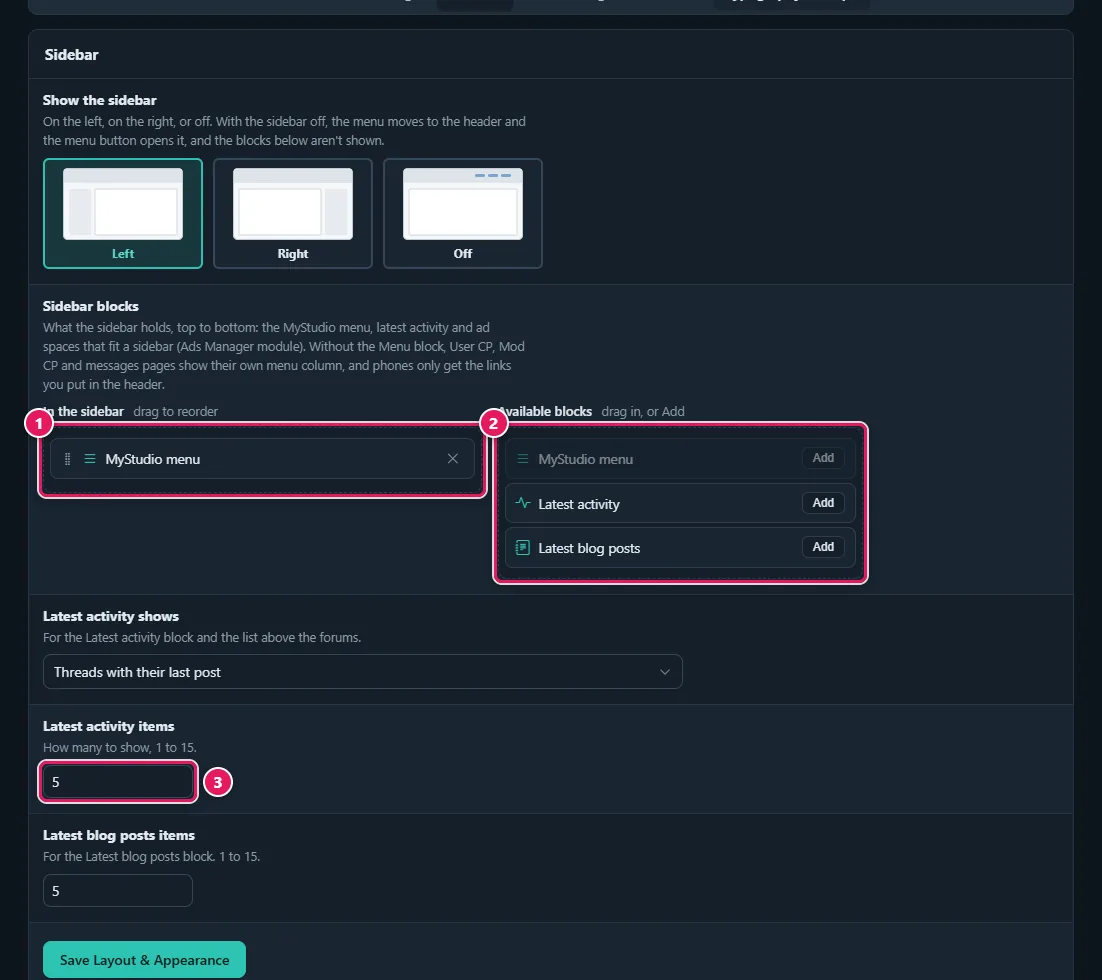
MyStudio menuThe forum menu with the member's account links. Without it, User CP, Mod CP and messages show their own menu column.
Latest activityNewest threads with their last post, or newest posts.
Latest blog postsFrom the blog (Content Manager).
Ad spaceA sidebar-sized space from the Ads Manager; add several.
| To… | Do this |
|---|---|
| Add a block | Drag it from Available blocks, or click Add |
| Reorder | Drag by the grip, or focus a row and press Alt+↑ / Alt+↓ |
| Remove | The remove button, or Delete |
| Set amounts | Latest activity shows (threads or posts) and the item counts (1 to 15) |
Build the menu
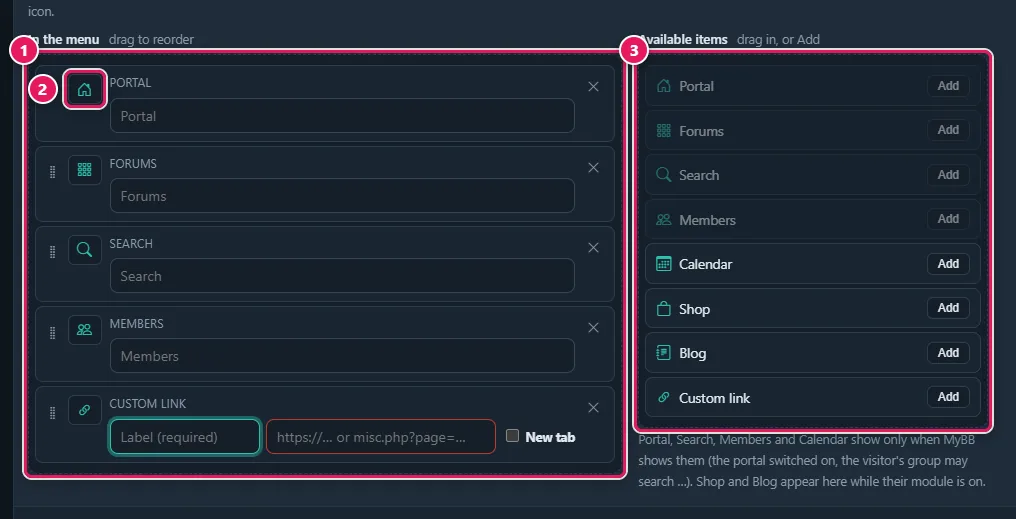
Built-in items: Portal, Forums, Search, Members, Calendar, Shop and Blog (each shows only when MyBB or its module would). Up to 20 items.
- Add an item, or drag it in from Available items.
- Type a label, or leave it empty for the default name in each member's language.
- Click the icon button and search the icon library.
- For a custom link: a label, an address (
https://…or a forum path like/rules) and an icon; tick New tab for other sites. - Drag to reorder, then Save.
Link custom pages, your docs or a collection with a custom link. Every address is checked, so the menu never carries a broken or unsafe link.
What members see
- The menu marks the page they are on.
- On phones the sidebar is a drawer from the menu button: MyStudio on phones.
- Modules add their own account entries (Shop and billing, Points, Alerts) by themselves.