The Page Builder (Content Manager module) makes custom pages: rules, about, contact, landing pages or a custom home page, each with a clean address, SEO tags, optional CSS and group access.
Create a page
- Activate Content Manager in MyStudio → Modules; open MyStudio → Content Manager.
- Add Page: type the title; the address fills itself in (
community-rules). - Write HTML with MyBB's template variables. A new page starts with the forum's header and footer around your section.
- Preview, choose Published, press Ctrl+S.
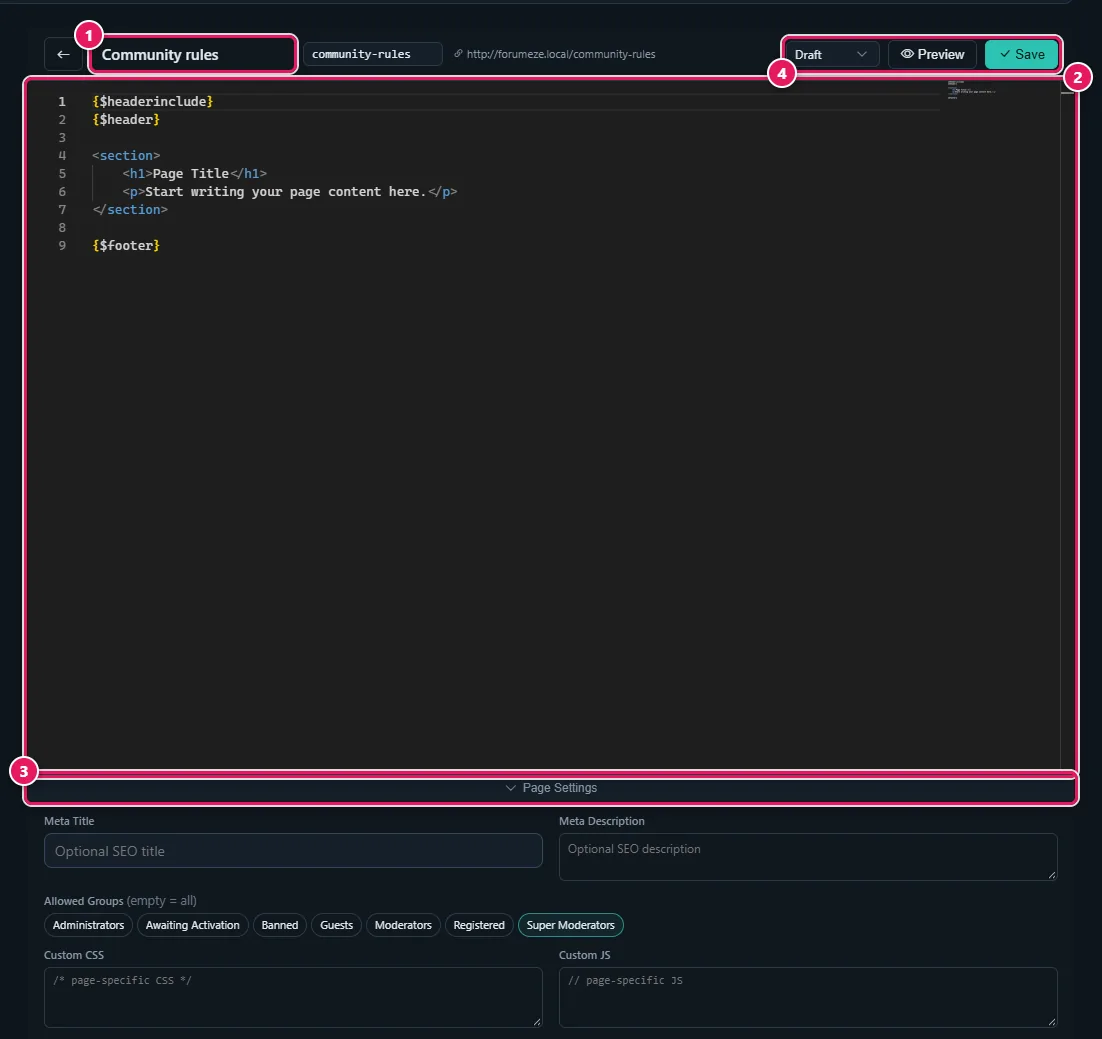
What a page can contain
{$headerinclude}
{$header}
<section>
    <h1>Community rules</h1>
    <p>Welcome, {$mybb->user['username']}! Please read these rules.</p>
</section>
{$footer}
Variables
{$header}, {$footer}, {$mybb->user['username']}…, insertable from a list.Conditions
<if> blocks, e.g. one message for guests, another for members.Theme stylesYour theme's classes and colours work; plus page-only CSS.
JavaScriptFor super admins or those allowed in Delegation.
Every save passes MyBB's template security check: a page can never run PHP.
Address, SEO and access
| Setting | Effect |
|---|---|
| Address | /community-rules with SEO permalinks, else misc.php?ms_page=community-rules |
| Meta title, description | Search results and share cards (empty = the page title) |
| Allowed groups | Everyone, or chosen groups only |
| Draft / published | Drafts are admin-only; published pages join the sitemap |
Use a page as your home page
The Front page setting (Pages tab) shows the forum index, the portal or any published page at your forum's address. A landing page with a link to the forums is popular.
Link it from the menu
A custom link with an icon in MyStudio Options → Menu.