A full blog in your forum: posts in the forum's editor, nested categories, featured images, scheduling, three layouts, front-end authors and comments moderated on the page.
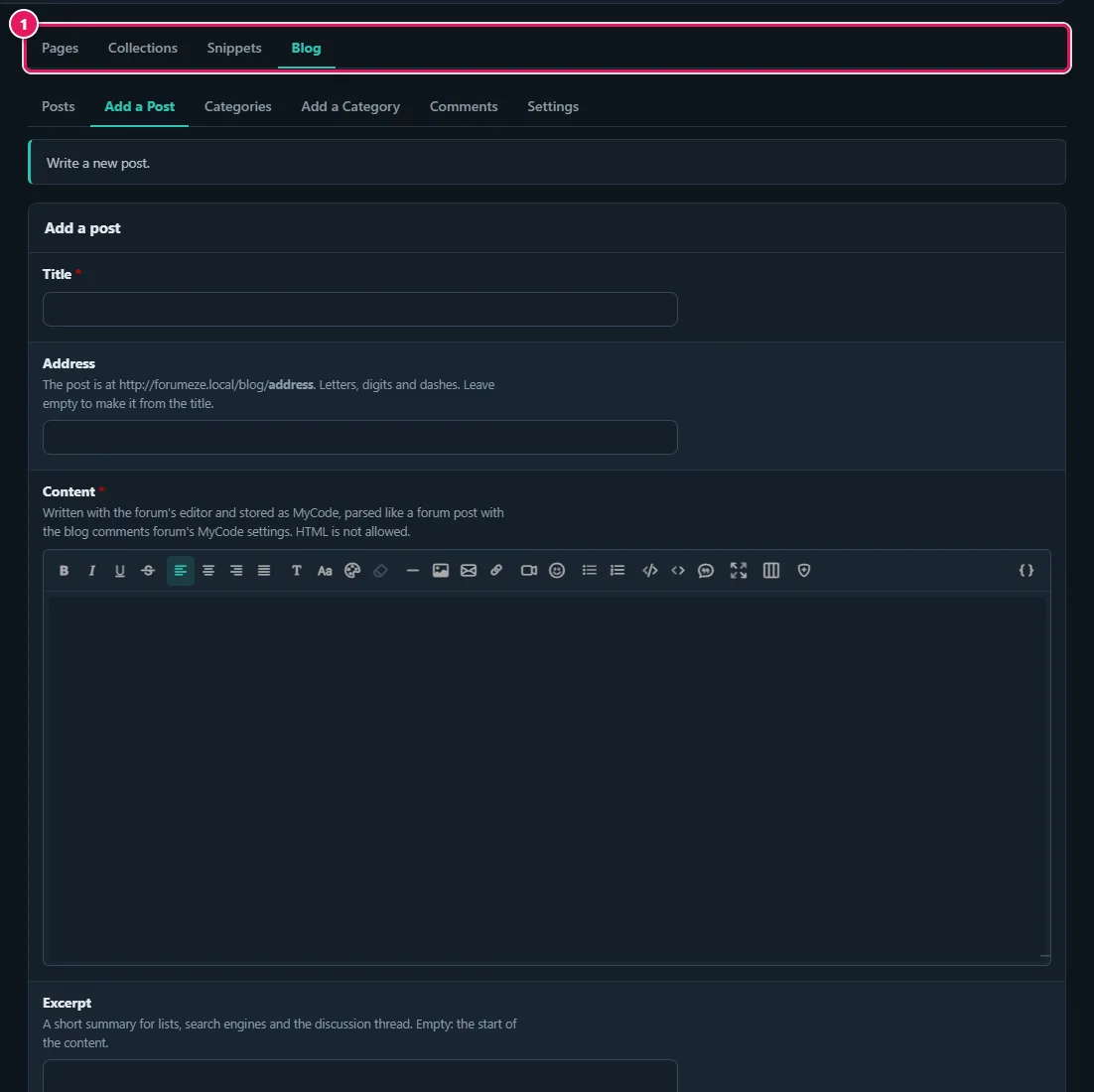
- Activate Content Manager; manage it in MyStudio → Content Manager → Blog
- With SEO permalinks it lives at
/blog
Blog addresses
| Address | Shows |
|---|---|
/blog | The newest posts, paged |
/blog/category/news/updates | A category, its sub-categories and posts |
/blog/author/12 | One member's posts |
/blog/my-post | A single post |
Write a post
Unpublished posts are visible only to their author and admins, through a noindex preview link.
Authors writing from the forum
Settings → Authors: author groups and/or user ids. They get Write a post on the blog and Edit on their own posts.
| Authors can publish directly | Button |
|---|---|
| On | Publish: public at once |
| Off | Submit for review: an admin publishes from the Posts tab |
Categories
Nest to any depth. Deleting one moves its sub-categories up and keeps its posts.
List layouts
Set excerpt length and posts per page. Cards follow your theme in both modes and stack on phones.
Comments
Members comment on the blog page. Each post's comments are a thread in a hidden Blog comments forum, so MyBB's permissions, moderation and post counts apply.
- Who can comment: groups that may reply in that forum (Forums & Posts → Forum Management → Blog comments).
- Moderation: Approve, Unapprove, Delete on each comment; Approve new comments first; the Comments tab lists all.
Blog SEO
Each post gets a title, meta description, canonical address and share image, and joins the sitemap. Add the Latest blog posts sidebar block and Blog to the menu.