Give your theme any font without CSS: fonts already on visitors' devices, or any Google font, served from your own server (recommended) or Google's CDN.
Where
- MyStudio Options → Typography & Shape: the text font and theme font roles (such as headings)
- MyStudio Options → Theme → Logo Text Style: the logo font
- MyStudio → Fonts: add, style, switch delivery, delete
Built-in choices
No download needed; they load instantly. Every font list draws each font in itself (the logo font in your logo text).
The theme's ownAs the designer chose.
SystemThe device's interface font.
Humanist, Serif, RoundedClassic stacks of installed fonts.
MonospaceCode-style type.
Add a Google font
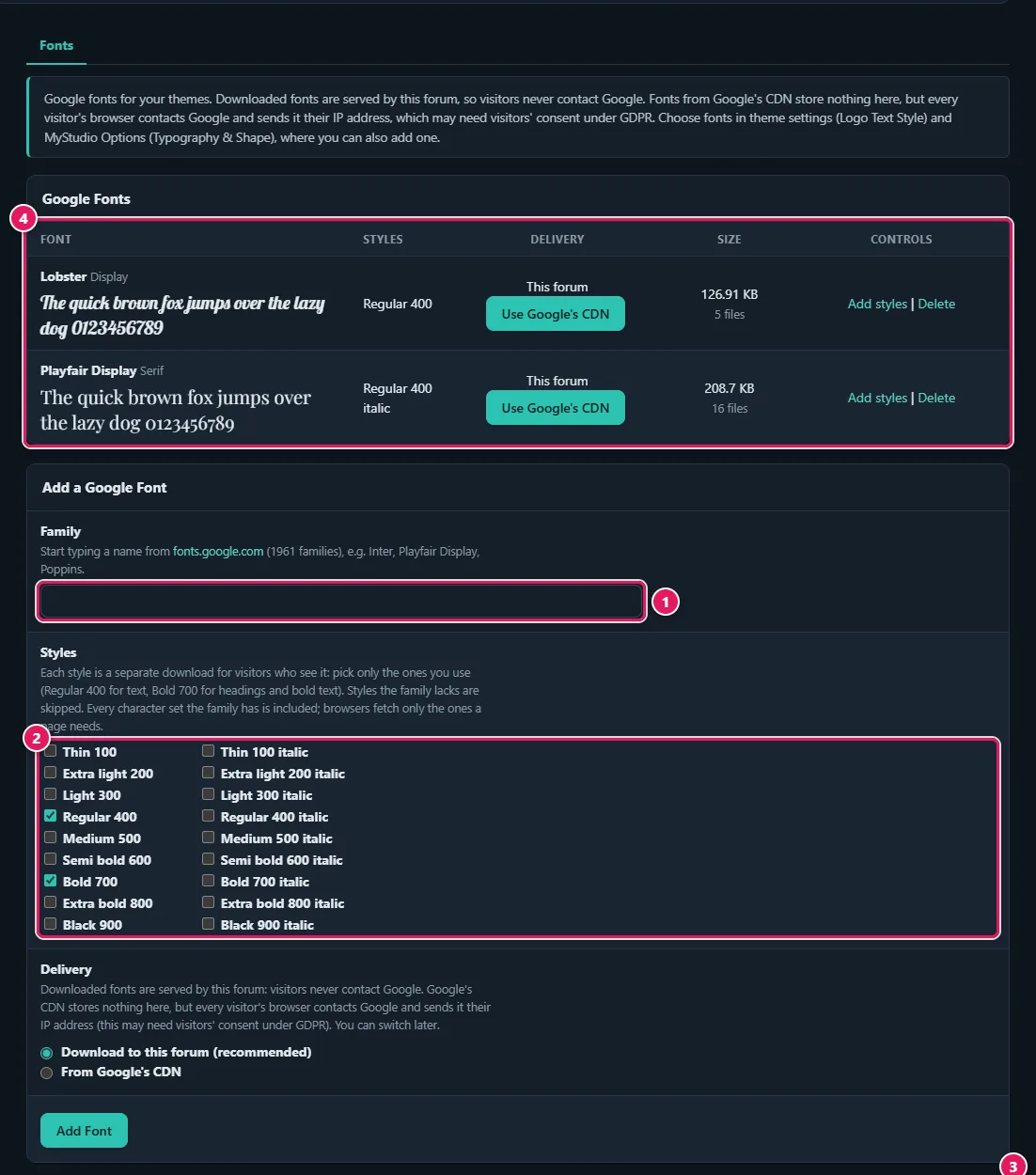
From the Fonts page
- MyStudio → Fonts.
- Type a family, such as Inter; matches are suggested.
- Tick the styles you want (Thin 100 to Black 900, with italics; missing ones are greyed out).
- Choose the delivery and click Add.
From any font setting
Choose Google font…, type the family and pick the delivery. You get Regular 400, Bold 700 and their italics. Fonts added either way appear in every font setting.
Local or CDN?
| Delivery | What happens | Visitors' privacy |
|---|---|---|
| This forum (recommended) | Downloaded once to uploads/ms_fonts/; browsers fetch only the character sets a page uses | Never contacts Google |
| Google's CDN | Pages link Google's stylesheet | Every visitor's IP goes to Google; may need consent (GDPR) |
Switch any time; switching to the CDN keeps the downloaded files.
Security
- Only family names and styles Google lists; MyStudio builds the address itself and never takes a URL from a form.
- Downloads only from Google's font servers over HTTPS, size-limited and checked to be font files.
- Needs the Admin CP permission for MyStudio → Fonts.
Performance
Pick few stylesEach is a file; usually 400 and 700 are enough.
Local is fasterNo connection to another server.
Built-in is freeNothing to load.
Theme developers can add font roles: theme.json reference.