The Shop module turns your forum into a store: downloads, physical products, memberships and services, with variants, coupons, shipping, tax, reviews and subscriptions.
- Needs Payments to take money; free products (price 0) need no payment at all
- Orders follow their payments by themselves
- Members find everything they bought in User CP → My products
Set up the shop
- Activate Payments and Shop in MyStudio → Modules, and set up PayPal.
- MyStudio → Shop → Settings: name, currency, guest checkout, terms page, countries.
- Add Categories, then Products.
- Physical products: at least one Shipping method. Tax: switch it on under Tax and add rates.
- Place a sandbox test order and check it under Orders.
- Add Shop to your menu; it shows the cart count.
What customers see
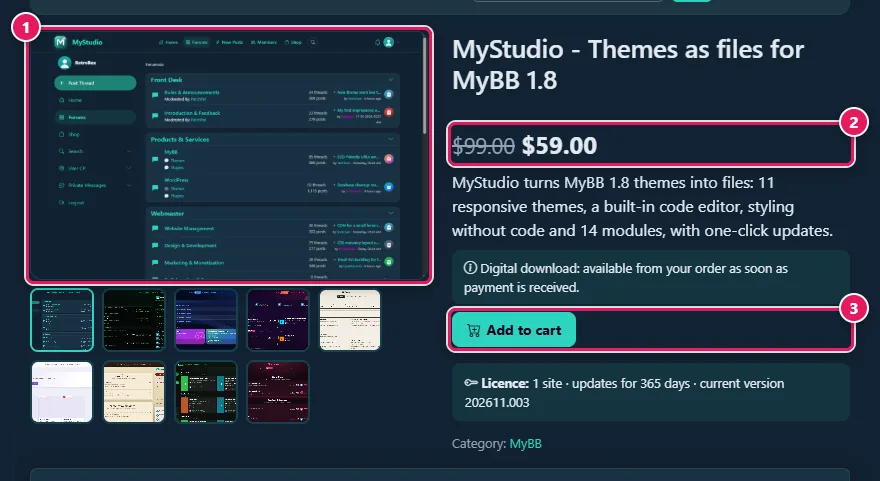
With SEO permalinks: addresses like /shop/your-product, plus product structured data (price, availability, rating).
Products
| Field | Notes |
|---|---|
| Type | Physical, Digital download, Membership or Service |
| Price and sale price | Sales can have start and end dates. A price of 0 shows as Free and completes without payment. Prices can also be in points. |
| Stock | Optional; held when ordered, returned if cancelled |
| Options | Sizes, colours or licence tiers, each with price, stock, SKU and weight |
| Subscription | Billing period, number of payments, free trial days |
| Images | A main image and up to 8 gallery images |
| Download | The file (each upload is a release), download limit, link lifetime |
| Membership | The user group and for how many days |
Descriptions use the forum's editor, so Editor Extras columns, images and icons work.
Downloads and releases
Memberships
Once paid, the buyer joins a user group (as an additional group) for a set number of days or for good; buying again extends it. A full refund, chargeback or the end of the term removes it.
Groups with Admin CP or Mod CP access can't be sold. Only super admins (or those allowed in Delegation) create membership products.
Orders
| Status | Meaning |
|---|---|
| Awaiting payment | Placed, not paid; cancelled if its payment expires |
| Processing | Paid: ship it |
| Completed | Shipped, or nothing to ship (downloads, memberships, services, free orders) |
| On hold | The payment didn't match, or was charged back |
| Cancelled / Refunded | Stock returned; downloads and memberships switched off |
On an order: set status and tracking, add notes, refund all or part, or mark it paid. Filter and export orders as CSV.
Subscriptions
Give a non-physical product a billing period (e.g. support at 9 a month, 7 days free).
While paid, plus grace days, memberships, downloads and keys stay active.
Coupons, shipping and tax
| Options | |
|---|---|
| Coupons | Percent or fixed, free shipping, minimum spend, expiry, use limits, product or category limits |
| Shipping | Flat, weight bands, free above a minimum, local pickup; per country |
| Tax | Standard, reduced, zero per country; prices with or without tax |
Reports, wishlists, stock alerts
- Reports: sales, refunds, tax, shipping, discounts, best products and categories, coupons, subscriptions; 7 days to 12 months.
- Wishlists for members; back-in-stock emails for members and guests.
Managing from the forum
Shop Managers (groups or user ids, in Settings) get a Manage button in the shop for products and categories, no Admin CP needed. Changes go to the Mod CP moderator log.
A storefront on the index
The MyStore theme puts a hero, categories, featured products and new arrivals above the forums. Other themes can with one theme.json setting.