Personal profiles and an alerts bell: banners, latest posts, random avatars, and notifications for replies, quotes, mentions, likes, messages and more.
- Activate User Profile Extras in MyStudio → Modules and open its settings under MyStudio
- Members: User CP → Alerts and Alert preferences
Profile banners
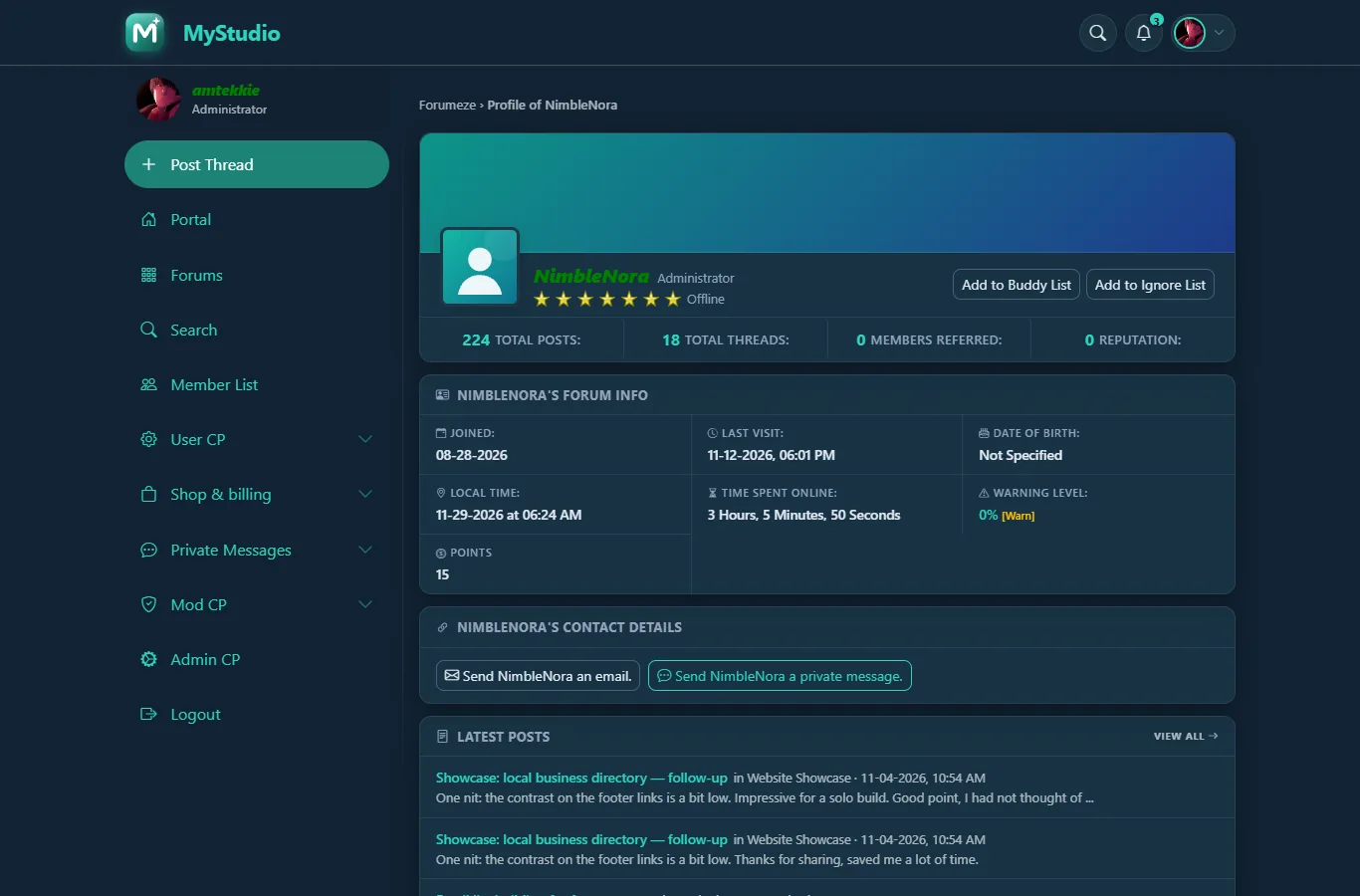
With Enable Profile Banners, members choose an image, a colour or a gradient in their User CP (Max Banner File Size limits uploads). The profile also lists their latest posts.
Random avatars
New members without an avatar get a friendly illustrated one at random; they can change it any time. A button gives one to every existing member without.
The alerts bell
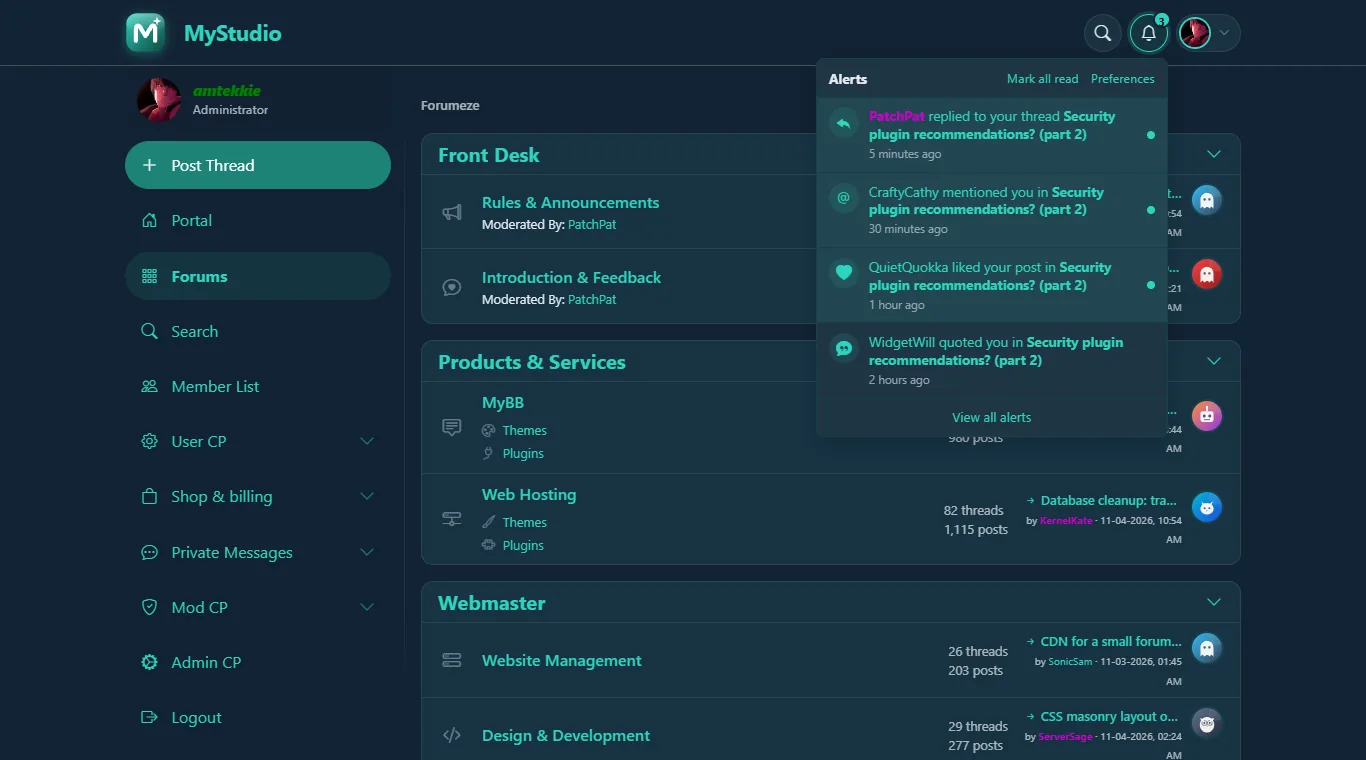
With Enable Alerts, the header shows a bell with an unread count. Clicking an alert marks it read and opens the post, message or profile. User CP → Alerts lists them all.
| Alert | When |
|---|---|
| Reply | Someone replies to their thread |
| Quote | Someone quotes their post |
| Mention | A post contains @username or @"user name" |
| Subscribed thread | A reply in a thread they subscribed to |
| Like | Someone likes their post (Posting Extras) |
| Private message | A new PM |
| Reputation | Someone gives them reputation |
| Buddy request / accepted | A buddy request is sent or accepted |
| Points, lottery, award | Points received, a lottery win, an award (Points, Awards) |
Never about their own actions; one post makes at most one alert per member (quote beats mention, mention beats reply). Members switch types in Alert preferences.
Alert settings
Privacy
- Mentions, quotes, replies and likes only alert members who can read the thread, checked again when shown.
- Hidden or deleted threads take their alerts with them.
- Ignored members send no alerts; deleting a member removes theirs.
Already using an alerts plugin? Run only one, or members get two bells. The Themes page warns and can switch MyStudio's alerts off.