The Payments module takes money for shop orders, ad spaces, points and donations through PayPal, with verified webhooks, refunds, subscriptions and a payment history for members.
- Start in Sandbox, test, then switch to Live
- Payers pay on PayPal's pages; card details never touch your forum
- Credentials live in the database, never in files
Set up PayPal
- At PayPal's developer site, create a Sandbox app (type Merchant); copy its client ID and secret.
- MyStudio → Payments → Gateways → PayPal: Offer PayPal Yes, Mode Sandbox, paste both, save.
- Test Connection, then Register Webhook (for payers who close the browser early, refunds made in PayPal, chargebacks).
- Test Payment: pay yourself with a sandbox buyer, check the event log, try a refund.
- Add the Live credentials, switch Mode to Live, register the live webhook.
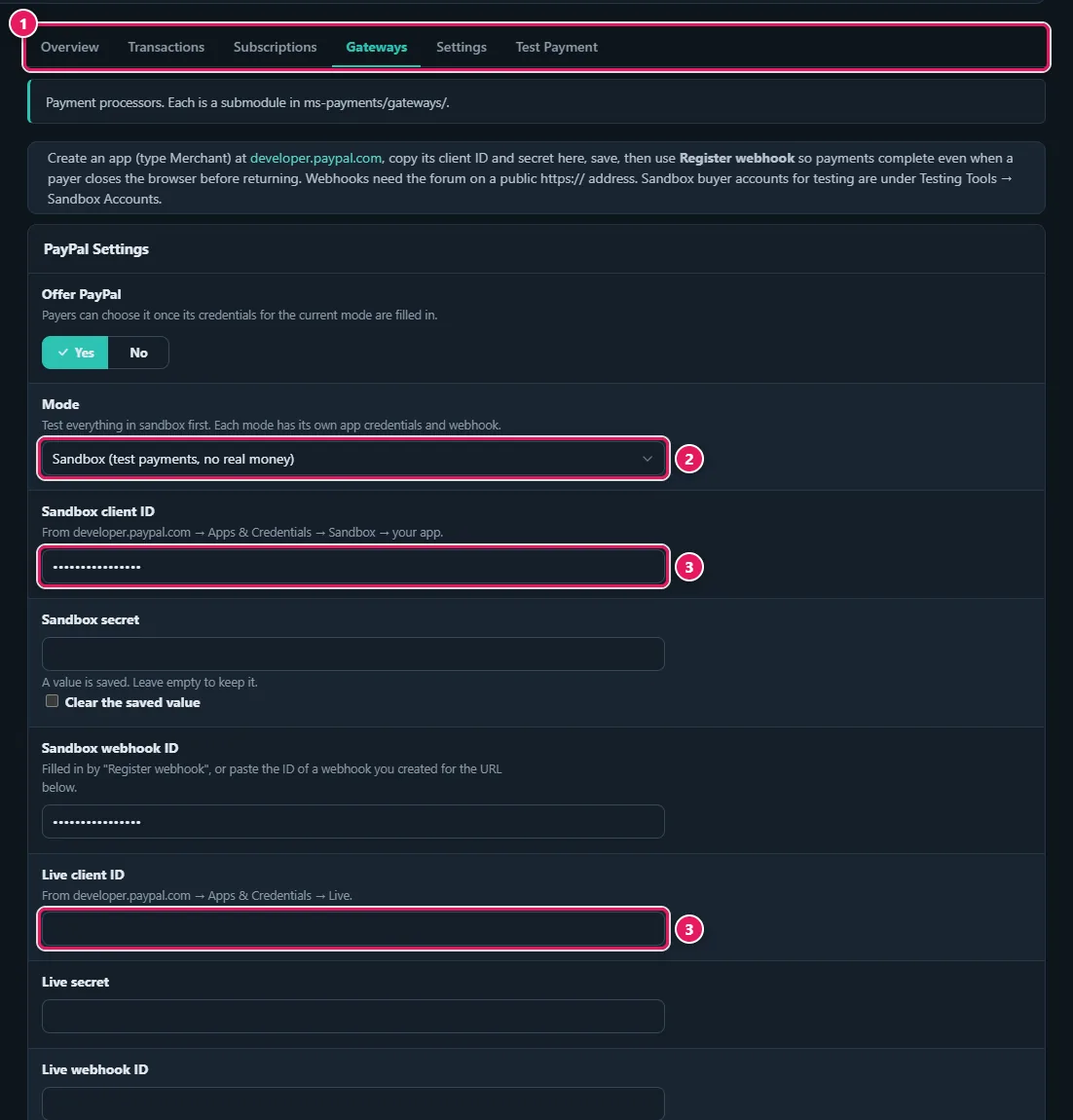
Each mode keeps its own credentials and webhook, so going back to sandbox is safe.
What members see
Donations
In Payments' Settings: preset amounts, a custom amount, an optional message and a monthly goal bar. Link it as misc.php?action=ms_donate.
Managing payments
| Tab | What it does |
|---|---|
| Overview | Setup warnings, payments to review, 30-day totals (received, refunded, fees, net), latest payments |
| Transactions | Search, filter, export as CSV |
| Subscriptions | Recurring billing at PayPal: terms, payments, events, re-check, cancel |
| Gateways | Settings, webhook addresses, connection test |
| Settings | Currencies, limits, emails, privacy, donations |
| Test Payment | Pay yourself, end to end |
A payment's page shows PayPal IDs, refunds and the full event log. Re-check asks PayPal for its state; Refund refunds all or part.
Payment statuses
Created → At gateway → Completed (or Pending while PayPal processes). Also failed, cancelled, expired, refunded, partly refunded or charged back.
Needs review: money arrived but the amount or currency didn't match. Check it at PayPal and refund if needed.
Who can do what
Admins with MyStudio access can view payments. Gateway settings and refunds are for super admins, unless granted in Delegation.
Security and privacy
- Webhooks are verified with PayPal; amounts and currencies are checked against the order.
- Names, addresses and phone numbers are removed from logged PayPal data; the payer's email is stored only if you choose.
- A deleted member's payments stay for your accounts, unlinked from them.
Charge members from your own modules: module APIs.