The Dev Options module is for building and testing themes: auto-sync while you edit, always-fresh CSS and JS, editor preferences and demo content.
- Activate it in MyStudio → Modules, then open MyStudio → Dev Options
- Use it on a development or test copy; switch the theme tools off on a live forum
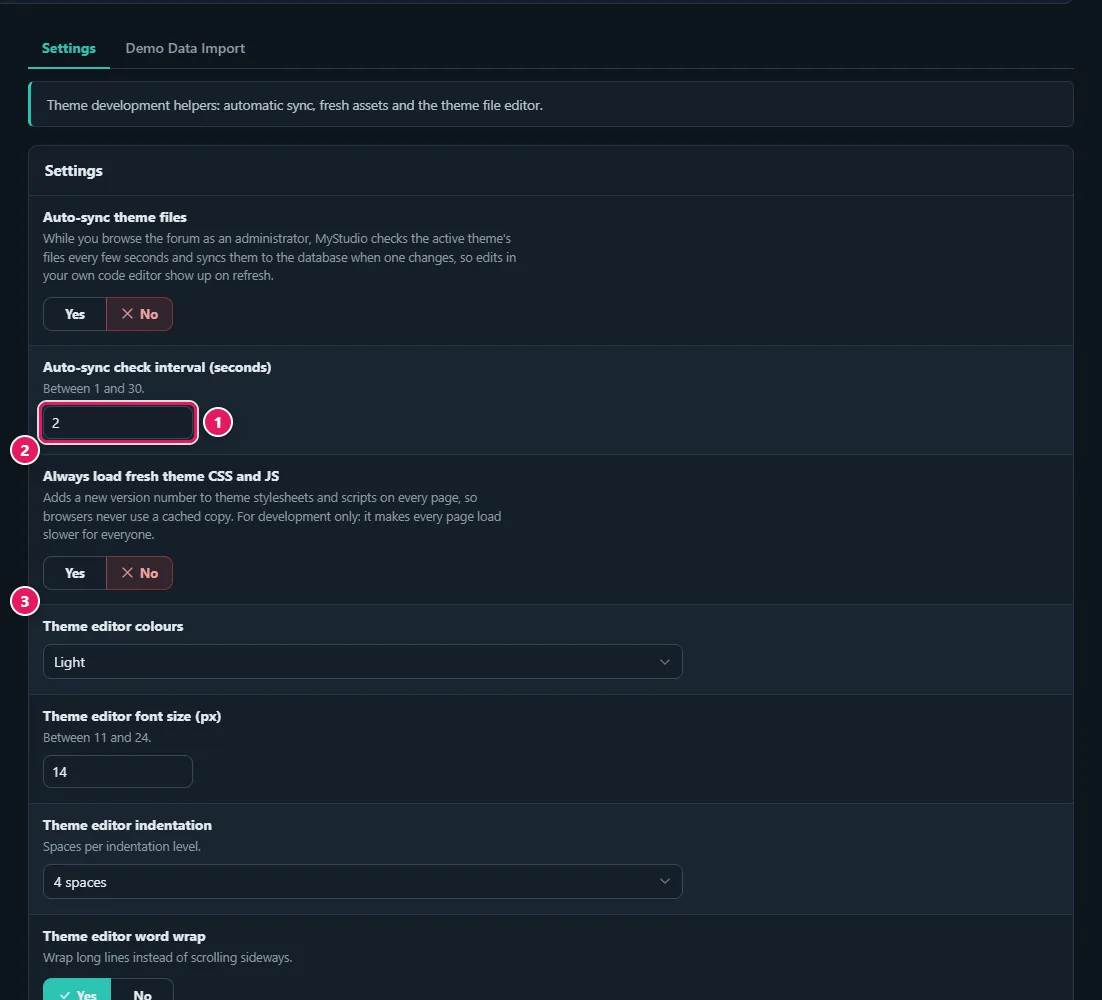
Auto-sync theme files
While you browse as an admin, the forum checks the active theme's files every 1 to 30 seconds. A change syncs the theme and reloads the page, parent folders included. Save in your editor, glance at the browser, done.
It costs requests: turn it off on a live forum.
Always load fresh CSS and JS
Adds a changing version to stylesheet and script addresses, so you see your latest change without a hard reload. Turn it off on a live forum so browsers can cache.
Theme editor preferences
For the theme editor: dark or light colours, font size 11–24 px, indentation, word wrap, minimap, formatting pasted code.
Import demo data
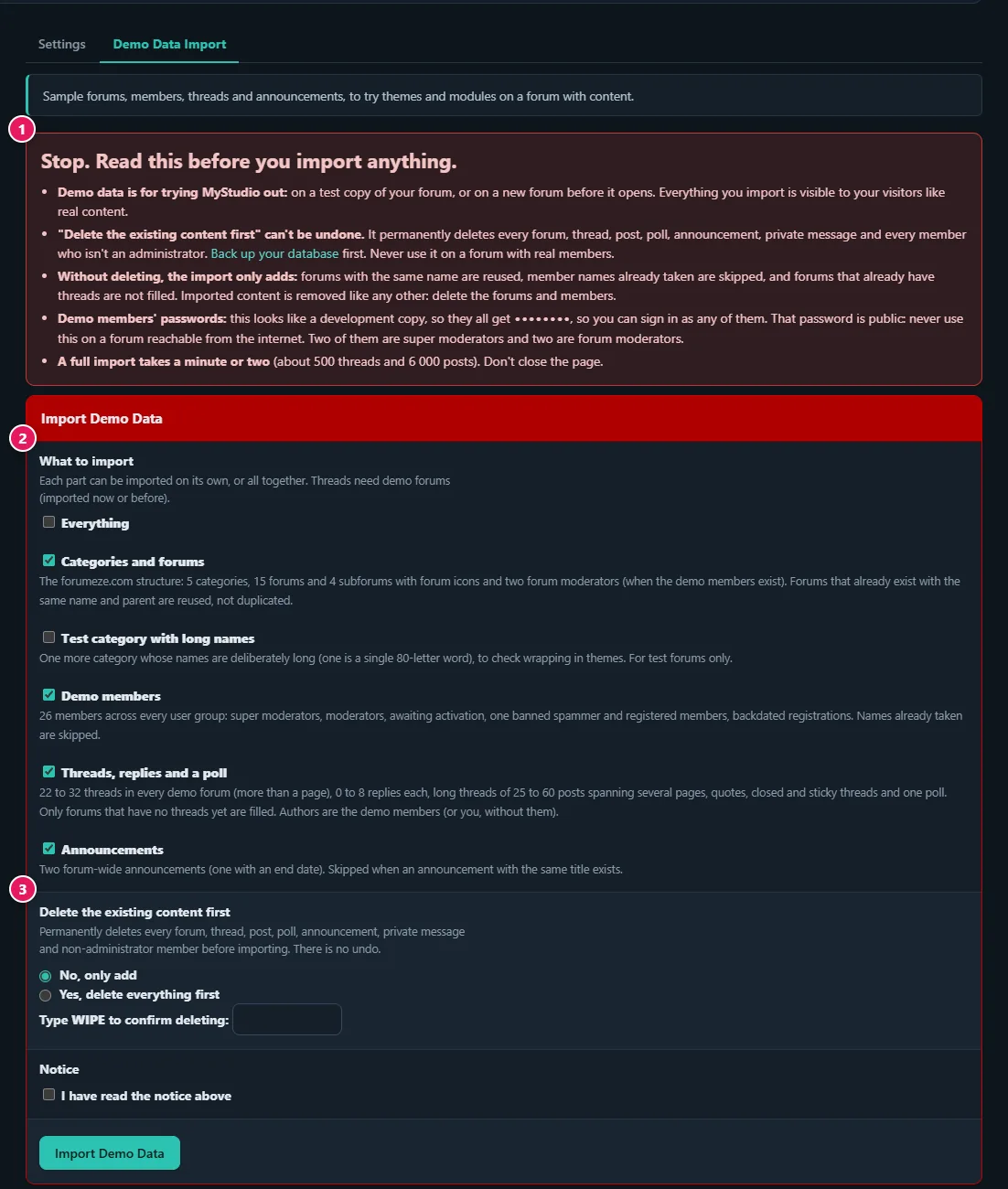
Fill a forum with real-looking content: tick Everything or pick categories and forums, demo members, threads with replies and a poll, announcements, or a test category with very long names.
*.local, *.test; random elsewhere.Delete the existing content first permanently removes every forum, thread, post, poll, announcement, private message and non-admin member. Back up, then type WIPE. Only on a test copy or before opening. Super admins, and those allowed in Delegation, only.