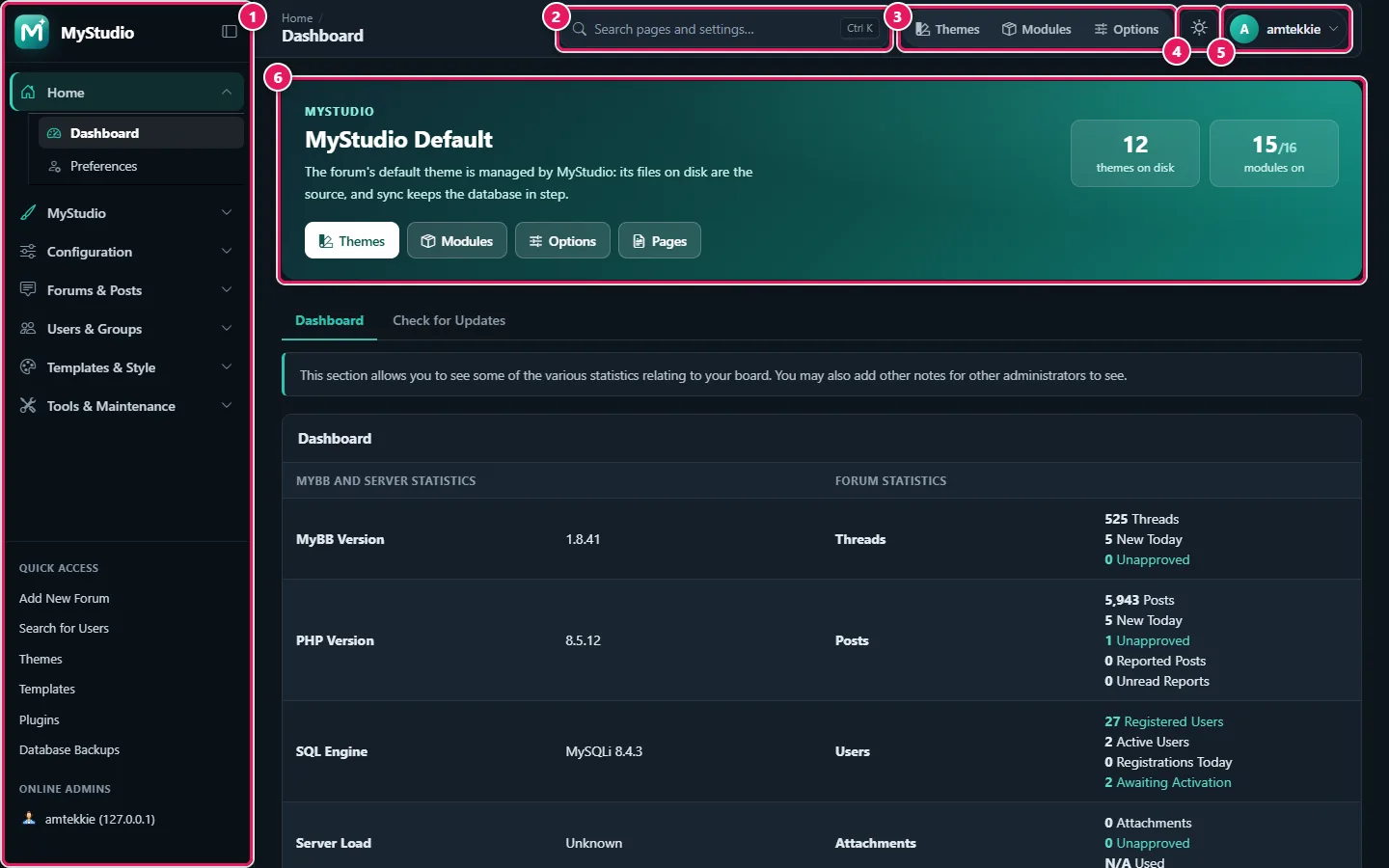
A modern, responsive style for the MyBB Admin CP: one grouped sidebar, a top bar, light and dark mode and Ctrl+K search. Every MyBB page, form and permission stays the same.
A quick tour
One sidebarEvery section, folding open and closed; collapses to an icon rail.
Boxed layoutUp to 1,600 px, sidebar stays in view; no edge-to-edge tables.
Top barWhere you are, search, shortcuts to Themes, Modules and Options, mode switch, account.
Home cardDefault theme, theme and module counts, update news.
Ctrl+K: search everything
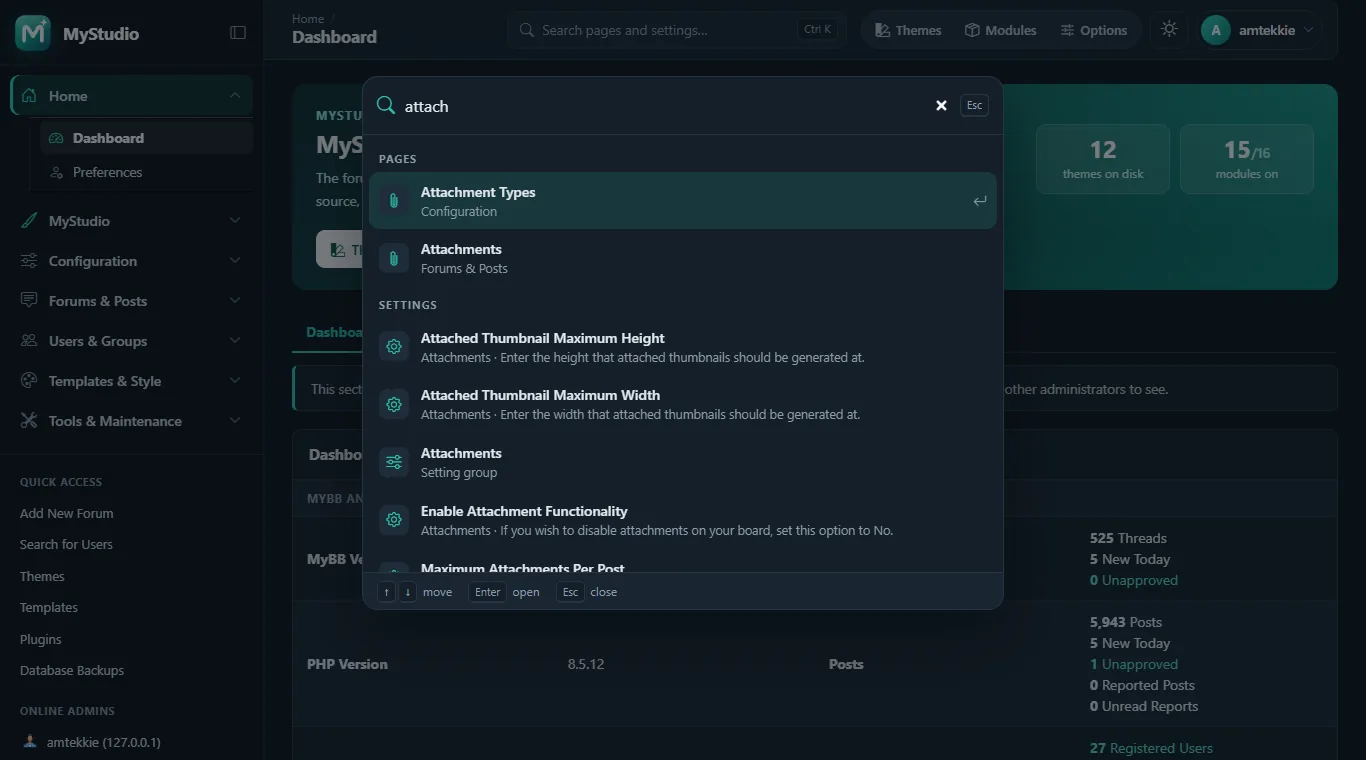
- Press Ctrl+K (Cmd+K) or click the search box.
- Type part of a name: smilies, attachment, shop.
- Arrow keys and Enter open it. Only pages your permissions allow are shown.
Light and dark mode
Follows your system until you click the switch in the top bar; then your choice is remembered in that browser.
Switch it on or back
| When / where | What happens |
|---|---|
| Licence activated on a new forum | The MyStudio style becomes the board default |
| Window icon in the top bar / MyStudio style link in MyBB's style | One click between the two, for you only |
| Home → Preferences → Admin Control Panel Theme | Your own choice |
| Configuration → Settings → General → Control Panel Style | The default for every admin |
On phones and tablets
Below 960 px the sidebar folds into a menu button, tables scroll and forms stack.
Good to know
- Only the frame and look change; MyBB's own Admin CP stylesheets load first, so plugin pages look right.
- Login and two-factor pages use the board default style.
- Renamed admin folder? The style is in
{your admin folder}/styles/mystudio/.