Give every forum and category its own icon: one of about 2,000 library icons or your own image. Icons fade when a forum has no new posts, so members see where the action is.
Set forum icons
- Activate Forum Icons in MyStudio → Modules.
- Open MyStudio → Forum Icons: every category and forum in board order.
- Click the icon button and search (chat, megaphone, code, controller), or upload an image.
- Save.
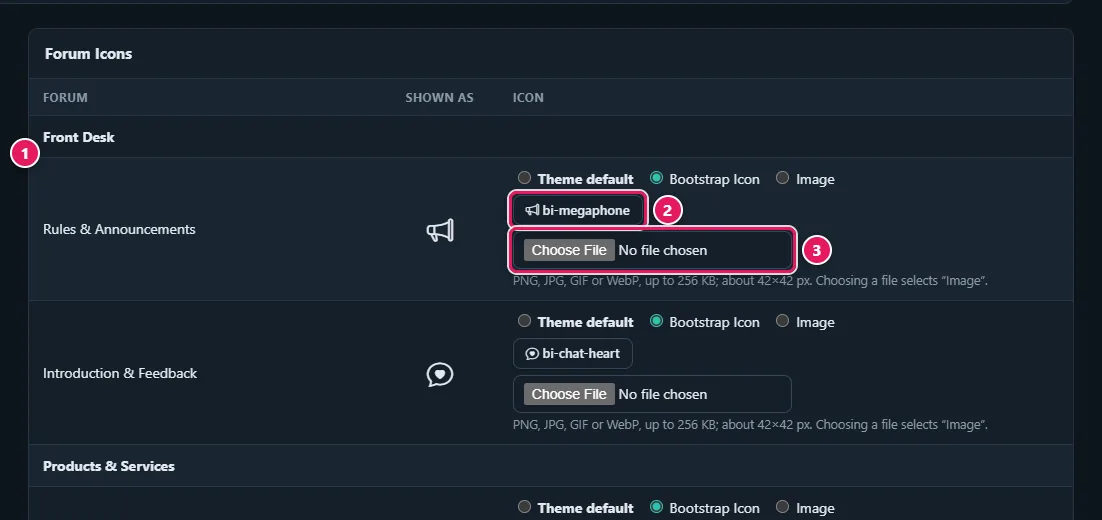
Library icons or images
Library iconsSharp at any size, in your theme colour.
ImagesPNG, JPEG, GIF or WebP up to 256 KB, for brand logos. Square, transparent background.
New and read posts
| Forum | Library icon | Image |
|---|---|---|
| New posts | Theme colour | Full colour |
| No new posts | Muted | Grey and faint |
Closed forums, link forums and subforums are marked the same way, like MyBB's status images.
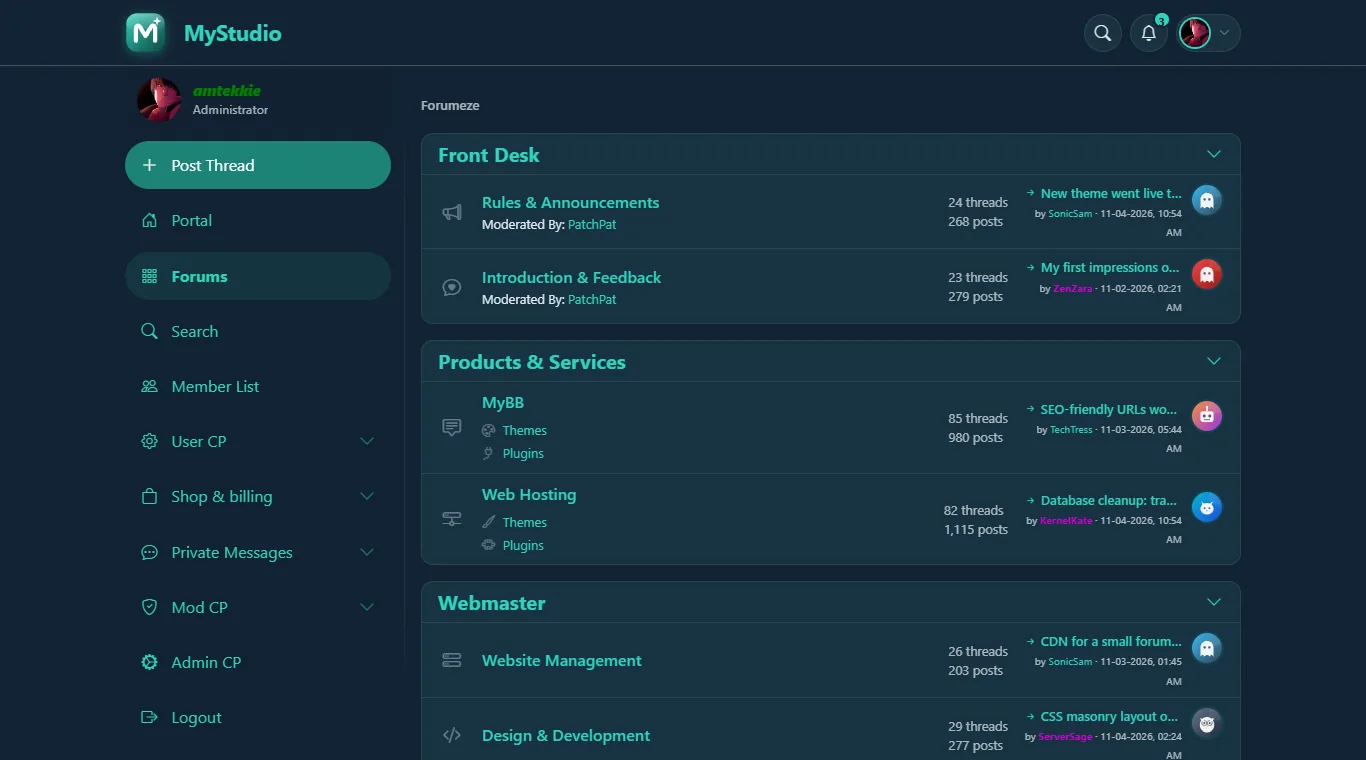
Where icons appear
- The forum index and every subforum list
- Card layouts from Forum Display Extras, filling the colour block in some themes
Without an icon, themes show MyBB's status indicators. Theme developers: keep the ficons_{fid} class on forum status elements.