Installing MyStudio Free takes about five minutes: upload one folder, import one file, make it the default.
You need
- MyBB 1.8 (made and tested on 1.8.41)
- FTP or your host's file manager, and the MyBB Admin CP
- The ZIP from the Shop (free; sign in, then download it from your order)
Upload the images folder
Unzip the download. Copy the contents of upload/ to your forum's root folder (the one with index.php).
images/mystudio-free/ logo, favicon, scripts and librariesNothing else on your forum changes. No PHP files are added.
Import the theme
- Admin CP → Templates & Style → Themes → Import a Theme.
- Choose
mystudio-free-theme.xmlfrom the ZIP. - Click Import Theme. Keep the other options as they are.
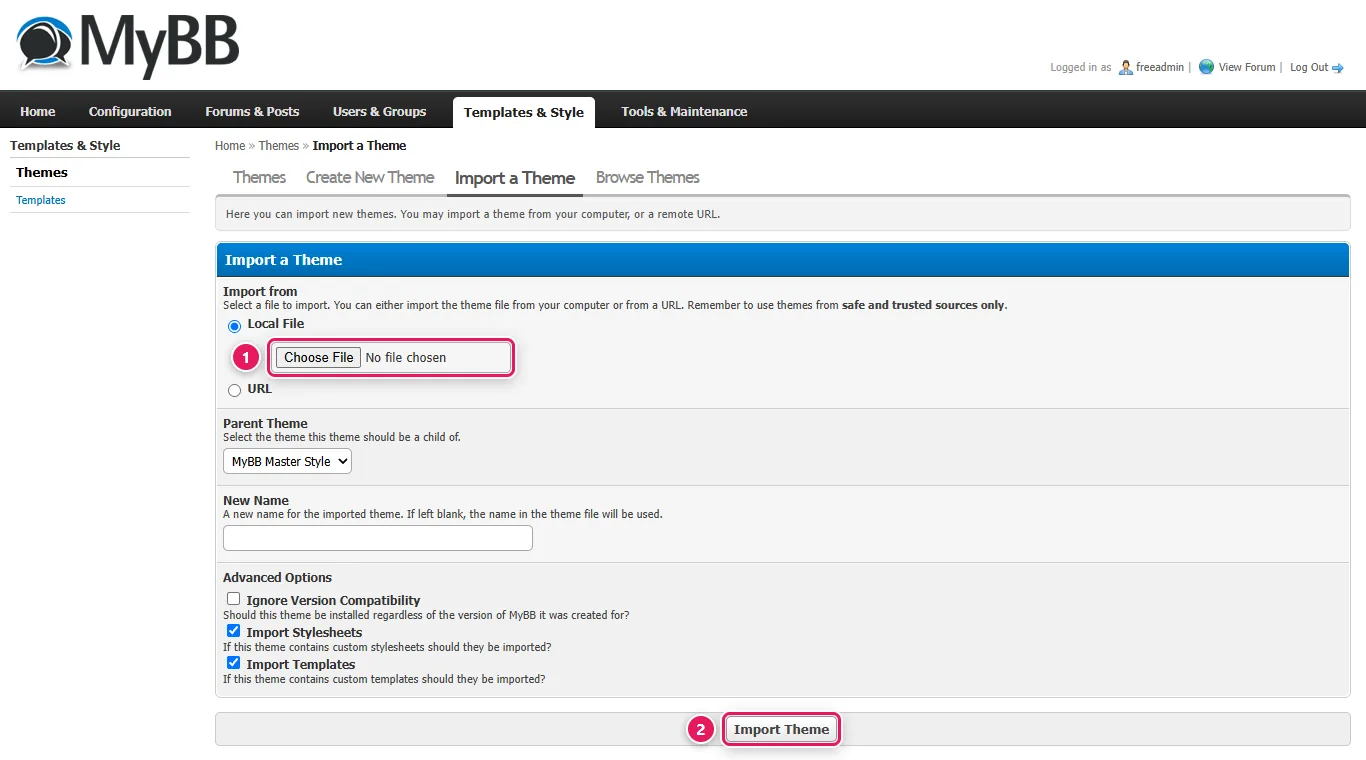
"Written for another version of MyBB"? MyBB only imports a theme as it is when the version numbers match exactly. On a MyBB other than 1.8.41, tick Ignore Version Compatibility and import again.
Make it the default
- Go to Templates & Style → Themes.
- Open the options of MyStudio Free and choose Set as Default.
- Reload your forum.
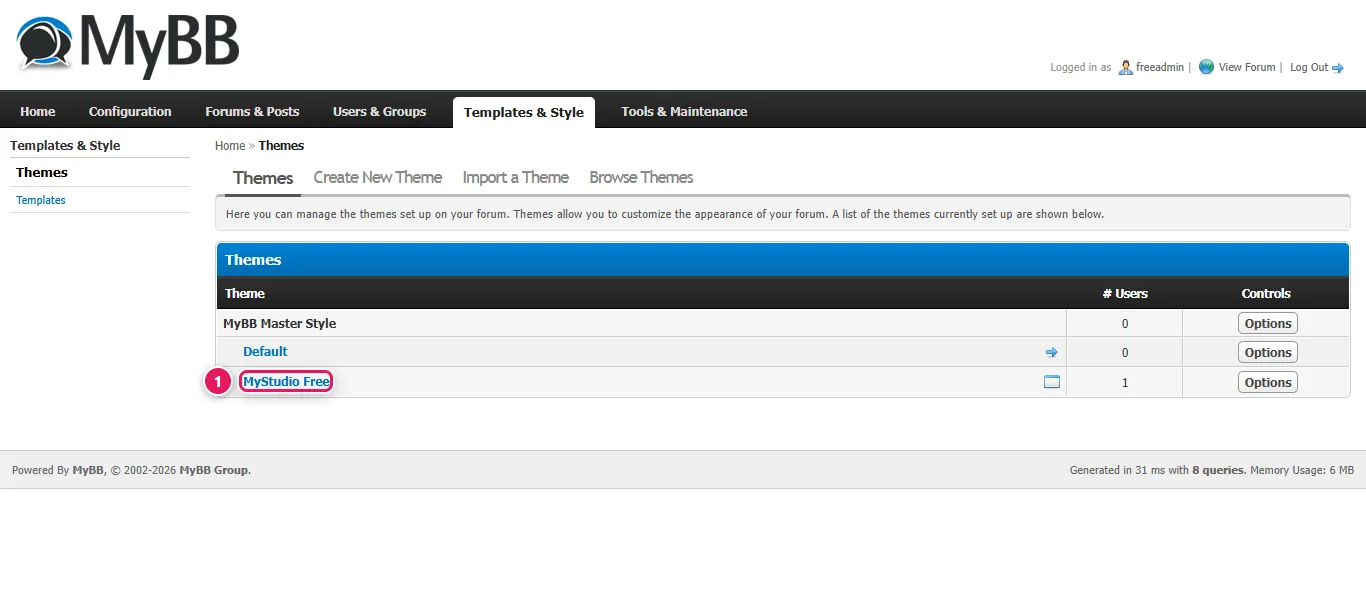
Members who picked another theme in their User CP keep it. To move everyone to MyStudio Free, choose Force on Users in the same options menu.
Check it
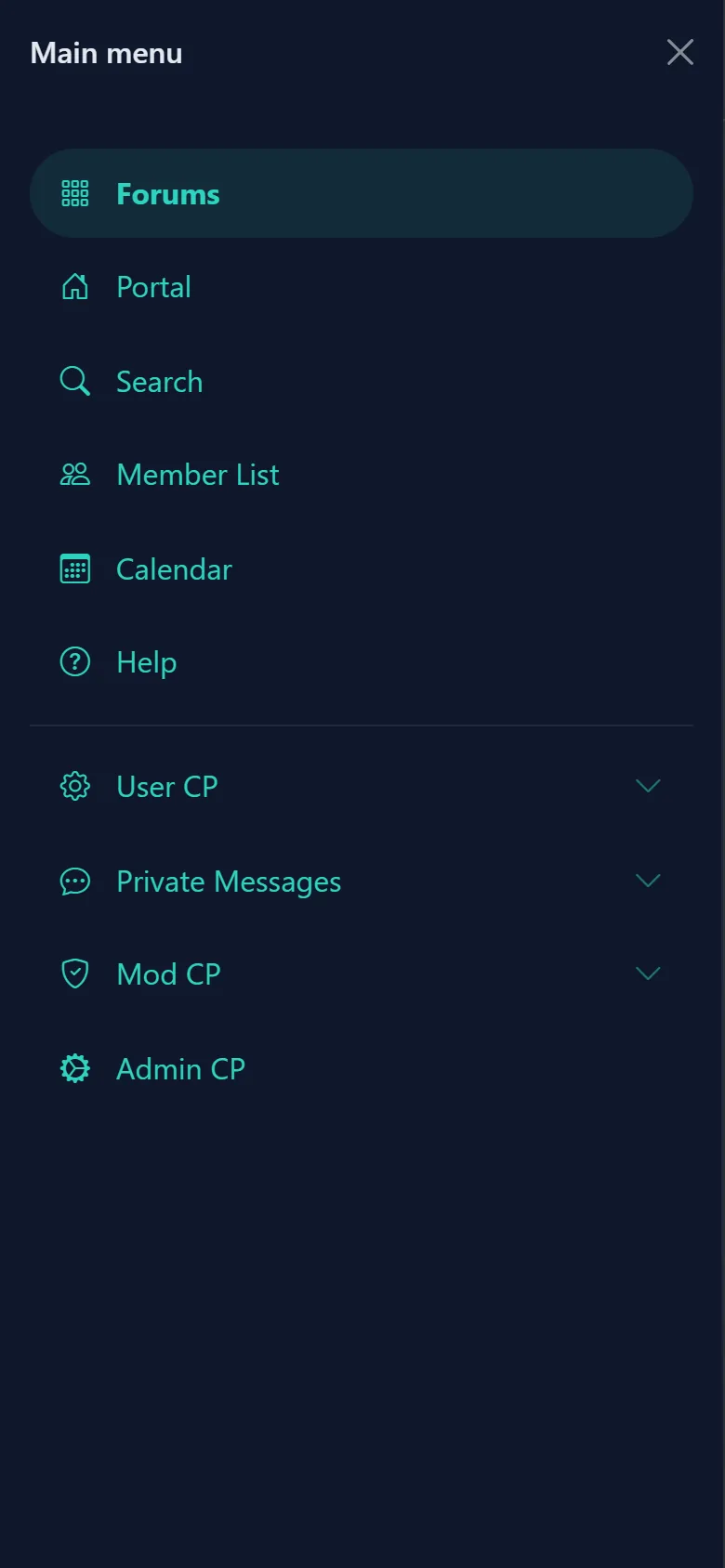
- The logo and sidebar show on every page
- The moon button switches to light mode
- On a phone, the menu button opens the sidebar
Next steps
Put your own logo in, then have a look at the FAQ.