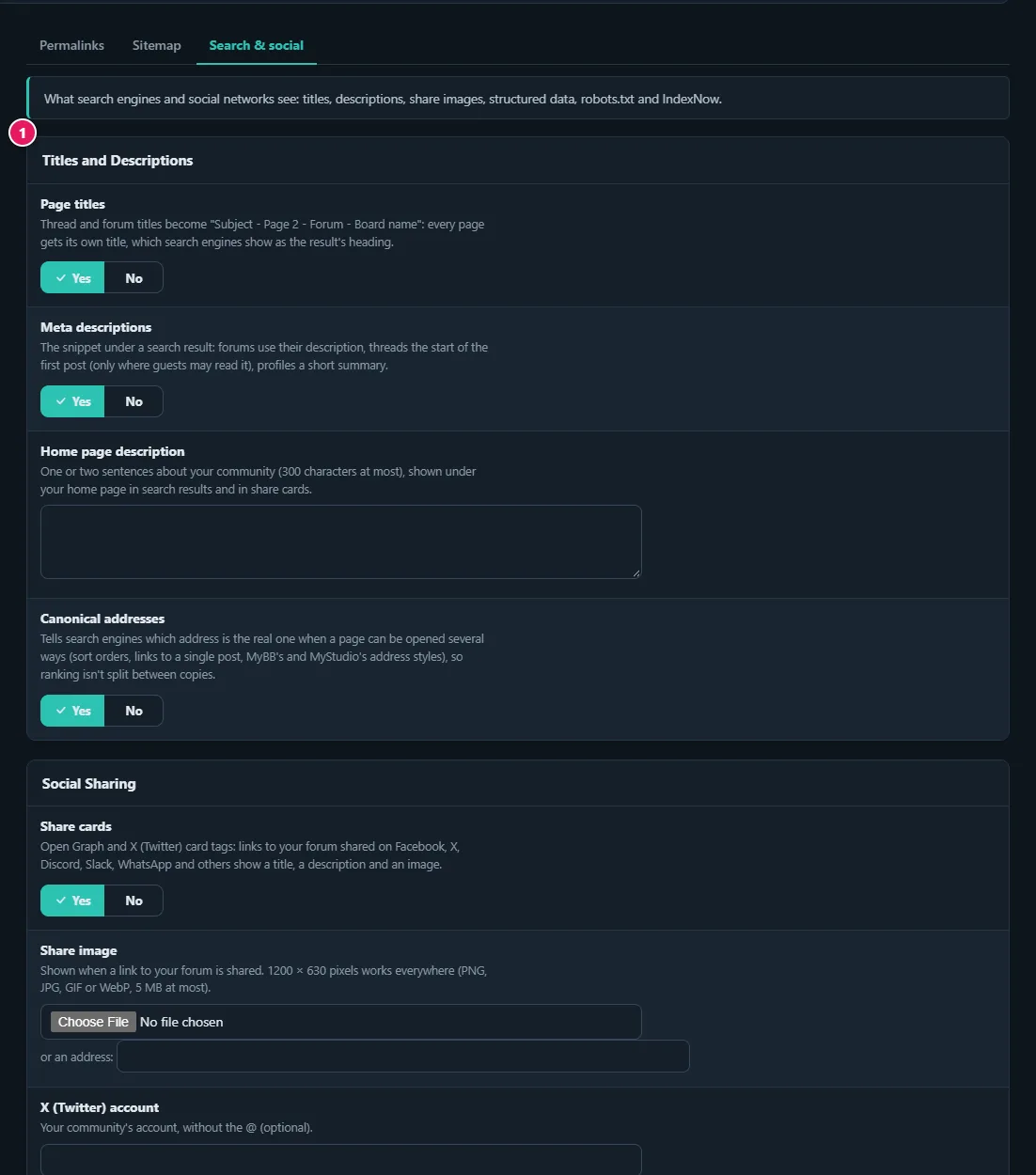
The SEO module's Search & social tab helps search engines and social networks understand your forum, with no template edits.
What it adds
| Setting | What it gives |
|---|---|
| Page titles | Threads: Subject - Page 2 - Forum - Board; forums: Forum - Board |
| Meta descriptions | Home: your text; forums: their description; threads: the start of the first post |
| Canonical addresses | One address per page |
| Share cards | Open Graph and X cards with title, description, image |
| Structured data | Site name and search box, organisation and logo, breadcrumbs, discussions, profiles, products, articles |
| Keep out of search | noindex on search, member list, account and utility pages; optionally profiles, unanswered threads, calendar |
| Missing pages | A real 404 for threads, forums and members that don't exist |
| Verification | Google, Bing, Yandex, Baidu, Pinterest, Facebook |
| IndexNow | New public threads announced to Bing, Yandex and others |
| robots.txt | Edit and save from suggested rules |
Pages that set their own tags (blog posts, pages, entries, products) keep them; only what's missing is added.
Rich results in Google
The Testing Tools table links Google's Rich Results Test, the Schema.org validator and a sharing debugger.
Only what guests can read
A thread's text is used only when a guest could read it. Members-only threads still get a title and canonical address, but their text never appears in a tag.
robots.txt
Suggested rules keep crawlers out of account, posting and duplicate pages and list your sitemap; your admin folder is never named; saving backs up the old file.
robots.txt only works at the top of your domain. Forum in a folder? Copy the rules to the site's top folder.
IndexNow
- Create the Key File: a random key file is written and IndexNow switches on.
- Every new guest-readable thread is announced right after the page is delivered.
Google doesn't use IndexNow; it reads your sitemap.
A quick SEO checklist
- Choose a pretty permalink type and keep it.
- Write a home page description saying what your community is about.
- Give every forum a clear description with the words people search for.
- Upload a share image (1200 × 630 px).
- Verify your site and submit the sitemap in Google and Bing.
- Keep thread titles descriptive: they become titles and addresses.