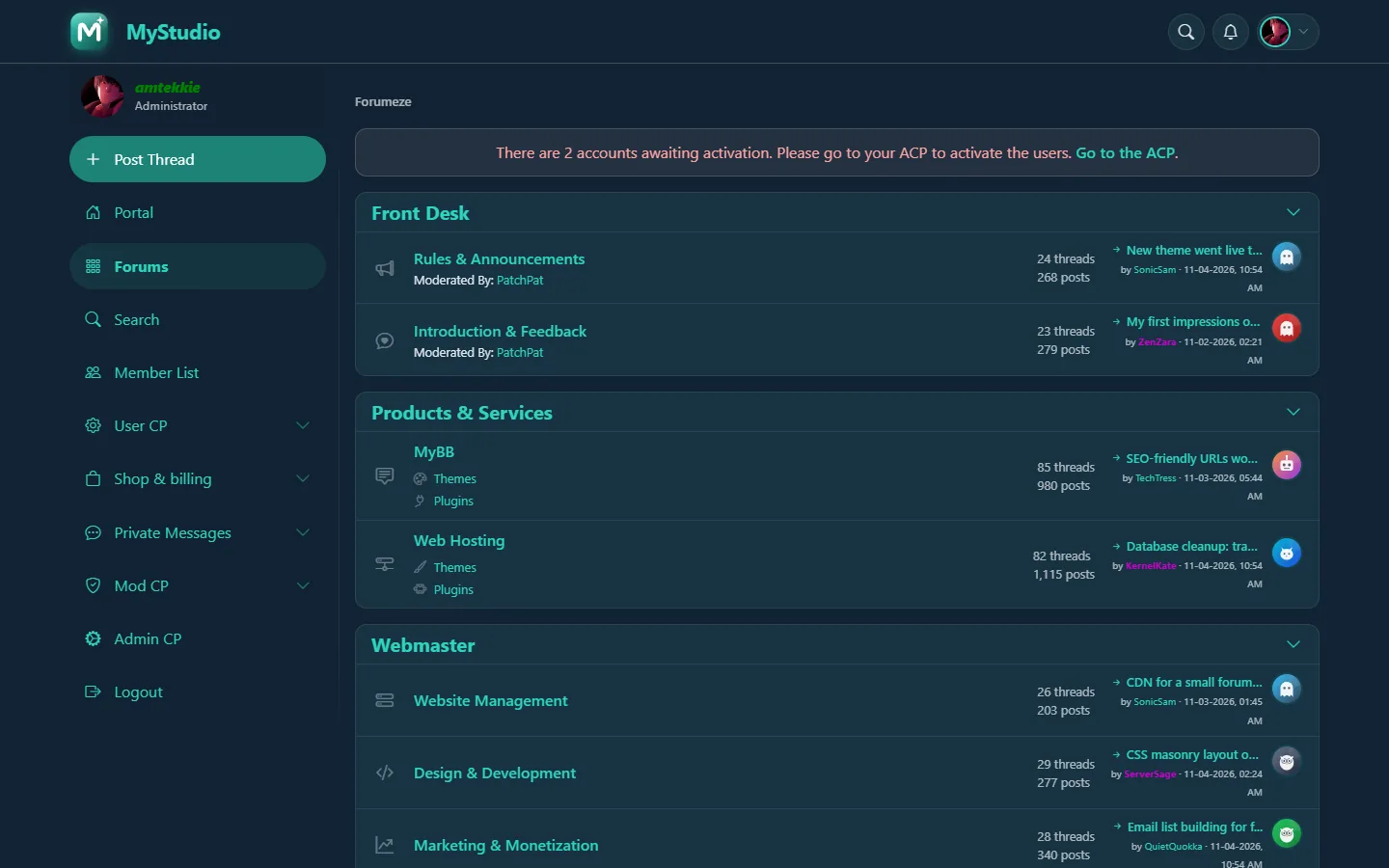
What is MyStudio? File-based themes and modules for MyBB 1.8
MyStudio turns MyBB 1.8 themes into files and adds 11 responsive themes, styling without code, a code editor and 14 optional modules.
How to install MyStudio on MyBB 1.8
Install MyStudio on MyBB 1.8 step by step: requirements, uploading the files, folder permissions, activating the plugin and your licence key.
Activate your MyStudio licence key
Where to find your MyStudio licence key, how to activate it, local and staging sites, moving to a new domain and what happens when a licence ends.
First steps: set up your MyBB forum with MyStudio
Ten minutes after installing MyStudio: pick a theme, set your colour and logo, switch on the modules you need and check your forum on a phone.
MyStudio FAQ: requirements, plugins, licences and updates
Answers to common MyStudio questions: MyBB and PHP versions, other MyBB plugins, hosting, licences, updates, uninstalling and support.
Manage MyBB themes: sync, set default, export and delete
The MyStudio Themes page explained: theme cards, setting the default MyBB theme, syncing files, offering themes to members, exporting and deleting.
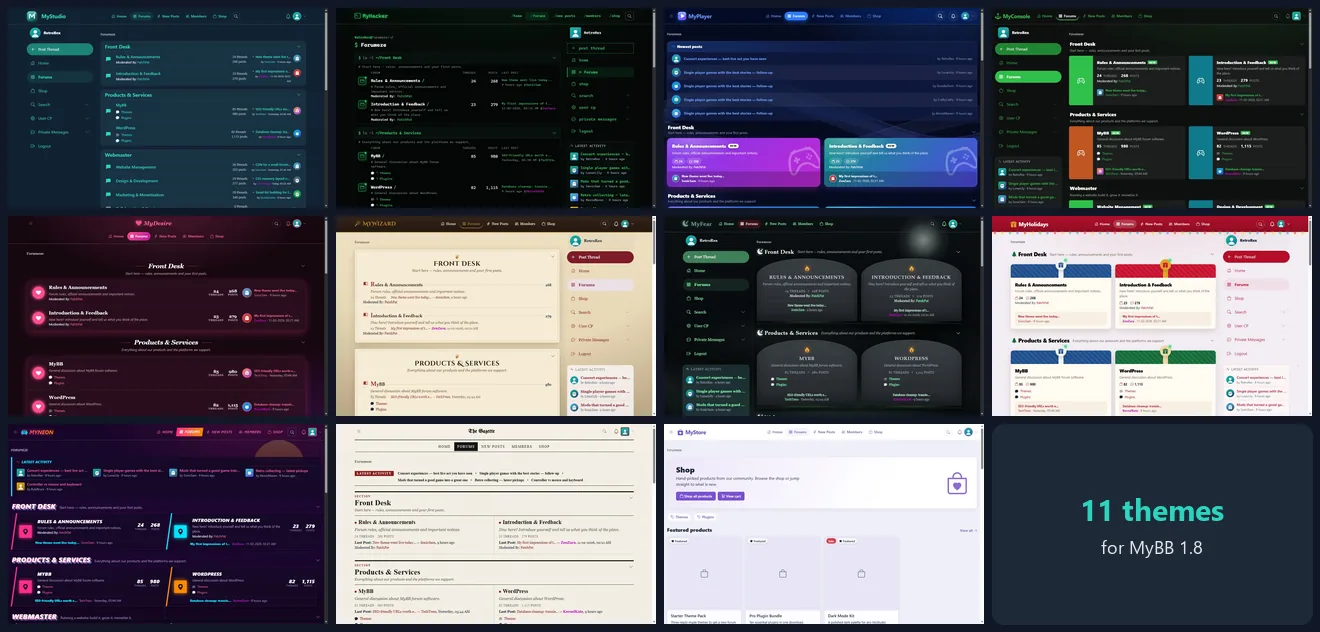
The 11 MyBB themes included with MyStudio
Meet the 11 responsive MyBB 1.8 themes in MyStudio: MyStudio Default and 10 child themes, from a dark gaming look to a newspaper and a store.
Change MyBB theme colours, logo and favicon without code
Use Theme Settings to change your MyBB theme colour with a live light and dark preview, upload a logo and favicon and style the logo text.
MyBB layout options: header, sidebar, page width and dark mode
MyStudio Options lets you choose header and footer layouts, page width, sidebar side, light or dark mode, an announcement bar and widgets per theme.
MyBB sidebar blocks and menus with drag and drop
Arrange your MyBB forum's sidebar blocks and build header and sidebar menus with drag and drop, icons and links, without editing templates.
Add Google Fonts to MyBB: hosted locally or from a CDN
Choose fonts for your MyBB theme, add any Google font hosted on your own server or loaded from Google, and preview every style before you use it.
Edit MyBB templates and CSS in the MyStudio theme editor
The built-in MyBB theme editor: a file tree, tabs, syntax colours, autocomplete, search and Ctrl+S to save templates, CSS and JavaScript instantly.
Customise a MyBB theme safely with a child theme
Create a MyBB child theme in MyStudio to change templates, CSS and settings while the parent theme keeps getting updates. Step by step.
Import and export MyBB theme packages (ZIP)
Export a MyStudio theme with its code, options and modules as one ZIP, and import theme packages safely with a review screen before anything is installed.
A mobile-friendly MyBB forum: MyStudio on phones
How MyStudio themes adapt MyBB to phones and tablets: the sidebar drawer, touch-friendly forum lists, threads, the post editor and the Admin CP.
MyStudio modules: switch MyBB forum features on and off
MyStudio's 14 modules start off. See what each one adds, how to switch modules on and off, where their settings are and how they work with MyBB plugins.
Update MyStudio with one click: review, backup and rollback
How MyStudio updates work: daily checks, update alerts, the review of changed files, automatic backups, rollback and restoring an earlier version.
A modern MyBB Admin CP: the MyStudio style and Ctrl+K search
Switch the MyBB Admin CP to the responsive MyStudio style with light and dark modes, a grouped sidebar and Ctrl+K search across pages and settings.
Delegation: give MyStudio permissions to other admins
Super admins can grant code, payments, refunds, licensing and other sensitive MyStudio actions to chosen admin groups or members with Delegation.
Dev Options: auto-sync, fresh assets and MyBB demo data
Developer options for building MyBB themes: auto-sync theme files, always-fresh CSS and JS, editor preferences and importing demo content for testing.
A better MyBB post editor: emoji, GIFs, code and columns
Editor Extras upgrades the MyBB editor: icon toolbar, emoji and GIF picker, image paste and resizing, code highlighting, columns, tables and @mentions.
Custom MyBB forum icons: icon fonts or your own images
Give each MyBB forum and category its own icon from 2,000 Bootstrap Icons or an uploaded image, with colours for new and read posts.
MyBB forum list layouts: cards, subforum columns and avatars
Forum Display Extras shows last poster avatars with a member card, subforums in columns and an optional card layout for your MyBB forum list.
MyBB post likes, social feed and quick new thread
Posting Extras adds post likes, a social feed on the portal with inline posting, a header quick search and a new-thread pop-up on every page.
MyBB profile banners, random avatars and an alerts bell
User Profile Extras adds profile banners, latest posts on profiles, random avatars for new members and an alerts bell with per-member preferences.
Sell products on your MyBB forum with the Shop module
Sell downloads, physical products, memberships and services on MyBB: variants, stock, coupons, shipping, tax, reviews, orders and protected downloads.
PayPal payments and donations for MyBB
Take PayPal payments and donations on MyBB: sandbox and live modes, verified webhooks, refunds, subscriptions and a payment history for members.
Sell software licence keys from your MyBB forum
The Licensing module issues licence keys for Shop products, binds them to domains, limits sites, delivers updates and verifies media certificates.
A points system for MyBB: earn, send, buy and win points
Points for MyBB: rates for posts, threads and likes, daily visits, sending points, buying points, a lottery, forum requirements and paying in the Shop.
MyBB awards and badges members earn automatically
Create MyBB awards that members earn for posts, threads, support replies, purchases, likes, reputation, points, years or referrals, or give them by hand.
MyBB ads manager: ad spaces, rotation and selling ads
Place ads on your MyBB forum with ad spaces, random or rotating ads and ad code, and sell ad spaces to members with packages, approval and click counts.
Create custom pages in MyBB with the Page Builder
Build custom MyBB pages such as rules, about or landing pages with the Page Builder: blocks, HTML templates, menus and clean addresses.
Add a blog to your MyBB forum
The MyStudio blog for MyBB: posts with nested categories, featured images, scheduling, comments moderated on the blog page and its own SEO.
MyBB collections: custom content types like docs and recipes
Collections add your own content types to MyBB, such as docs, recipes or events, with fields, categories, tags, templates, filters and front-end writing.
MyBB SEO: clean URLs, permalinks and an XML sitemap
Give MyBB search-friendly URLs without editing server files: permalink types, custom routes, Apache and nginx rules and an automatic XML sitemap.
MyBB SEO tags: titles, meta descriptions and structured data
Search and social tags for MyBB: titles, meta descriptions, canonical URLs, share cards, structured data, noindex rules, robots.txt and IndexNow.
How MyStudio themes work: files, sync and the MyBB database
Why MyStudio keeps MyBB themes as files, what Sync does, where templates, CSS, JS and PHP live, how the cache works and what to edit where.
Create a MyBB theme with MyStudio: step by step
Build your own MyBB 1.8 theme with MyStudio: folder layout, theme.json, templates, CSS, JavaScript, images, a screenshot and packaging it as a ZIP.
theme.json reference for MyStudio themes
Every theme.json key in a MyStudio theme: name, version, parent, stylesheets, scripts, modules, supports, fonts, studio options and more, with examples.
Add settings to a MyBB theme: the options schema
Give your MyBB theme its own settings with options.php: option types, groups, defaults, colours, fonts, images and using the values in templates and CSS.
MyBB child theme development: inheritance and overrides
How MyStudio child themes inherit templates, CSS, JS, options and PHP from their parent, how overrides and reverts work and the command-line tools.
Create a MyStudio module: a MyBB plugin with settings
Write a MyStudio module: plugin.json, init.php hooks, an options schema, language files, templates, CSS and JS, an Admin CP page and module tables.
MyStudio module APIs: payments, points, alerts and hooks
APIs other modules can use: charge members with Payments, change points, send alerts, add permalink prefixes and sitemap sources, and the hooks MyStudio fires.
Query MyBB collections with MyCode and PHP
List and filter collection entries anywhere with the , and MyCodes, PHP snippets and ms_collection_query() in PHP.
The MyStudio command line: sync, validate and deploy
Use MyStudio's cli.php to list, sync and validate themes, create child themes, override files, switch modules, check health and automate deployments.
Licensing API: check licence keys from your own software
Connect your software to the MyStudio Licensing API: the PHP client, activation, checks, updates, signed and encrypted answers and the HTTP protocol.
Security rules for MyBB themes and modules in MyStudio
The rules MyStudio themes and modules follow: no PHP in themes, template checks, escaping, CSRF tokens, permissions, uploads and secrets.